Rating Breakdown
Strengths
- + Fully on-device processing
- + One-time purchase
- + Good Whisper model accuracy
- + Complete offline support
Weaknesses
- – Mac only
- – Transcription only - no AI analysis
- – No meeting integration
- – No collaboration features
Our Verdict
A great transcription tool for Mac users who value privacy, but lacks the AI analysis features of a true meeting assistant.
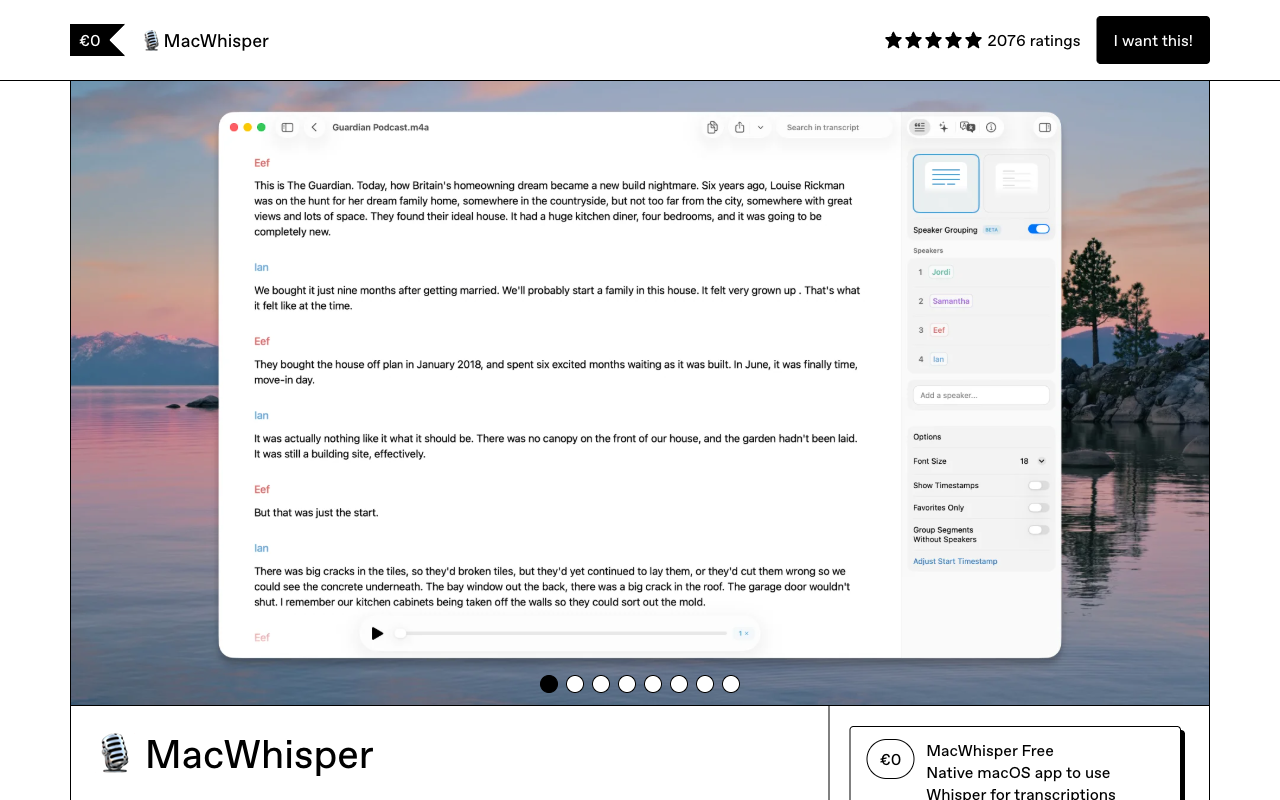
MacWhisper is the purist’s choice for local transcription. Built by an independent developer, it runs OpenAI’s Whisper models directly on your Mac, providing high-quality speech-to-text without sending a single byte of audio to the cloud. There is no account to create, no subscription to manage, and no server to depend on. You buy the app, download a Whisper model, and start transcribing. For users who value simplicity and privacy above all else, MacWhisper delivers exactly what it promises.
The app supports multiple Whisper model sizes, from the lightweight “tiny” model for fast, less accurate transcription to the “large” model for maximum accuracy. On Apple Silicon Macs, the models run efficiently using the Neural Engine and GPU acceleration, producing transcripts in near real-time for shorter recordings. MacWhisper can transcribe audio files, record directly through a microphone, or capture system audio, making it functional for both file-based transcription and live meeting capture.
What MacWhisper does not do is equally important to understand. There is no AI analysis, no summaries, no action items, no meeting intelligence, and no collaboration features. MacWhisper is a transcription tool, not a meeting assistant. It converts speech to text with excellent privacy and good accuracy, and that is the full scope of the product. For users who only need transcription and prefer to handle analysis themselves, this focus is a feature. For users who want a complete meeting intelligence solution, MacWhisper is a starting point, not a destination.
Key Features
MacWhisper runs Whisper models entirely on-device with no cloud processing. Multiple model sizes (tiny, base, small, medium, large) let you trade speed for accuracy. The app supports transcription from audio files, microphone input, and system audio capture. Speaker diarization helps distinguish between multiple speakers. Transcripts can be exported in multiple formats including text, SRT subtitles, and JSON. The interface supports editing transcripts with linked audio playback. Batch processing handles multiple files efficiently. The app works completely offline once models are downloaded.
Pricing
MacWhisper offers a free version with access to smaller Whisper models and basic features. The Pro version is a one-time purchase at $15, unlocking larger models, batch processing, and advanced export options. There are no recurring fees, no subscription, and no per-minute pricing. This one-time purchase model is refreshingly straightforward in a market dominated by monthly subscriptions, and it makes MacWhisper one of the most cost-effective transcription tools available.
Privacy & Security
MacWhisper has the strongest possible privacy posture for transcription: everything happens on your device, period. There are no cloud servers, no accounts, no data collection, and no network requests during transcription. Your audio files and transcripts never leave your Mac. For users who handle highly sensitive audio (legal proceedings, medical consultations, classified discussions), MacWhisper eliminates all external exposure. This is privacy through architecture, not through policy promises.
Best For
MacWhisper is ideal for Mac users who need accurate, private transcription without AI features. Journalists, researchers, legal professionals, and anyone who regularly transcribes audio files will find it invaluable. It is also a good fit for users who want full control over their data and prefer a one-time purchase over subscriptions. MacWhisper is not suited for users who want meeting intelligence, AI analysis, collaboration features, or cross-platform support.
How MacWhisper Compares to Hedy
MacWhisper and Hedy share the same foundation: both use Whisper for on-device transcription with complete privacy. MacWhisper does this one thing and does it well. Hedy builds an entire meeting intelligence platform on top of the same foundation. Hedy adds real-time AI coaching, structured summaries, action item extraction, knowledge connections across meetings, and configurable session types, none of which MacWhisper offers. Hedy runs on Mac, Windows, iOS, Android, and web; MacWhisper is Mac-only. Both work offline and both keep audio on-device, so privacy is comparable. The difference is in what happens after transcription. If you only need text from audio, MacWhisper is a fine, affordable choice. If you want your meetings to actually make you smarter, with real-time coaching, automated analysis, and cross-meeting intelligence, Hedy transforms transcription from a utility into a competitive advantage.